
A project schedule is a timetable that shows when each piece of work is forecast to start and finish. APM defines it as a timetable of forecast start and finish dates for activities or events. Building one well comes down to five things: a complete list of work, the right order, honest durations, the people available to do it, and regular updates. Teams that learn this as a method, rather than as a software feature, produce schedules that survive contact with real work. That is why we teach it as part of our project management courses, which can be customised for your team and delivered on-site, online or blended.
TL;DR
- A schedule turns a plan into dates. The plan says what you will do and how; the schedule says when.
- Build it in order: work breakdown structure, activities, sequence, durations, resources, then review.
- Use a Gantt chart to communicate the timetable and the critical path method to find which tasks can delay the finish.
- Agree a baseline, then update the schedule with actual dates and compare it against that baseline.
- Check the logic with the people who do the work before you trust any software output.
Table of Contents
- What project scheduling is, and how it differs from a plan
- Why the schedule matters
- How to create a project schedule, step by step
- A small worked example
- Scheduling techniques: Gantt chart, critical path and beyond
- Keeping the schedule alive
- Common scheduling mistakes
- Where training makes the difference
- Our perspective
- FAQ
- Sources
What project scheduling is, and how it differs from a plan
Planning and scheduling are often used as if they were one thing. PMI author William Moylan separates them: planning selects the policies and procedures needed to reach the objectives, while scheduling turns the action plans into an operating timetable. He calls them distinct but inseparable.
A practical way to hold the difference: the plan answers what, why and how; the schedule answers when and in what order. A council planning guide from Carmarthenshire adds a useful warning: a schedule is not a plan on its own, and it may change once resources are secured and allocated.
If you want a longer definition, our own guide covers what project scheduling is in project management.
Why the schedule matters
According to the same PMI paper, the schedule guides the team, tracks progress, supports communication and reporting, and measures performance right through to project closeout. It works alongside the plan and the budget as a basis for monitoring and controlling work across the life cycle.
For an HR manager or a department head sponsoring a project, this means the schedule is the shared reference point. Without it, “are we on track?” has no agreed answer. For more on the payoff, see our piece on the benefits of scheduling in project management.
How to create a project schedule, step by step
Sources from PMI, the US Government Accountability Office and university project offices describe essentially the same sequence. PMI’s Scheduling 101 summarises it: develop the work breakdown structure, define activities, logic, resources and timeframe, then analyse the schedule.
1. Gather the inputs
The University of Waterloo’s project office recommends collecting the charter, scope baseline, work breakdown structure, estimates, dependencies, constraints, calendars, stakeholder expectations and risks before you start. Calendars matter more than people expect: holidays, shift patterns and leave all change what “five days” means.
2. Build the work breakdown structure
The work breakdown structure (WBS) splits the end product into manageable pieces of work. The US GAO’s Schedule Assessment Guide says it provides the basis for identifying schedule activities and resources, and that every scheduled activity should trace back to a WBS element so that all scope is represented.
Where it goes wrong: copying the WBS from a previous project. PMI’s Scheduling 101 warns against treating an earlier project’s WBS as complete for a project that is unique.
3. Define the activities
Break each work package into tasks someone can own and finish. A good test is whether you can say clearly what “done” looks like. Add milestones, which are zero-length checkpoints, so you can monitor status. The South African Government Technical Advisory Centre recommends exactly this for smaller projects: break deliverables into tasks, order them, estimate durations against workload and add milestones.
4. Sequence the tasks with dependencies
A dependency says one task relies on another. Virginia Tech’s project management textbook lists four types:
| Type | Meaning | Example |
|---|---|---|
| Finish-to-start | B cannot start until A finishes | Approve the design, then order materials |
| Start-to-start | B cannot start until A starts | Begin training once the system build begins |
| Finish-to-finish | B cannot finish until A finishes | Testing ends when documentation ends |
| Start-to-finish | A must start before B can finish | Old shift stays until the new one begins |
The same chapter says finish-to-start is the most common. Be strict about what is a real dependency. PMI’s guidance cautions against false or soft logic, meaning links added out of habit or preference that force tasks into a sequence the work does not need.
5. Estimate durations honestly
Duration is elapsed time, not effort. The Carmarthenshire guide gives the clearest example: two working days of effort at 20% availability takes ten working days on the calendar. If your engineer spends one day a week on your project, a two-day task takes two weeks.
Ask the person who will do the work, include waiting time (deliveries, approvals), and write down the assumptions behind each figure so you can revisit them.
6. Assign resources and check for overload
Waterloo’s guidance is to assign resources by availability and skill, and to check for over-allocation before setting milestones and a baseline. Over-allocation means one person is scheduled for more hours than they have. It is the commonest reason a tidy-looking schedule fails in week three. Our guide to resource allocation in project management goes deeper.
7. Review, then baseline
Before approving, analyse the schedule. PMI’s practice standard treats team review, logic analysis, resource availability, critical paths and float as things to assess before approval, not after dates have been entered. Float (or slack) is how long a task can slip without delaying the finish. Once agreed, save the result as the baseline.
For construction work, scheduling software for contractors can help you review the logic and track progress against the baseline once the schedule is set.
A small worked example
Imagine a four-week office relocation. The numbers are illustrative.
| Task | Depends on | Duration (working days) |
|---|---|---|
| A. Sign lease | None | 3 |
| B. Order furniture | A | 10 |
| C. Fit out network cabling | A | 6 |
| D. Furniture delivery and set-up | B | 3 |
| E. Test network | C | 2 |
| F. Staff move in | D, E | 1 |
There are two routes from start to finish. A, B, D, F takes 3 + 10 + 3 + 1 = 17 days. A, C, E, F takes 3 + 6 + 2 + 1 = 12 days. The longer route sets the earliest finish: 17 working days. The cabling route has five days of float. If cabling slips by three days, nothing changes; if furniture slips by one day, the move-in date moves with it.
That is the logic of the critical path, and it tells the manager where to spend attention.
Scheduling techniques: Gantt chart, critical path and beyond
APM names Gantt charts, critical path analysis and critical chain scheduling as core techniques. Each answers a different question.
Gantt chart: the communication tool
The European Commission’s PM² methodology guide describes a Gantt chart as a bar chart showing phases and activities, their sequence, duration, dependencies and status. Virginia Tech’s chapter notes it presents activities against a timeline, which makes it accessible for communicating with stakeholders.
Critical path method: the analysis tool
PM² describes the critical path method (CPM) as a mathematical technique that calculates the longest necessary path of activities, which also fixes the shortest possible completion time. The Virginia Tech text adds that a delay on that path delays the whole project. APM says it helps managers focus on the activities whose slippage threatens the end date.
Gantt chart vs CPM: which do you need?
They are not rivals. CPM is how you calculate which tasks drive the finish date; the Gantt chart is how you show the result. In practice, most schedulers use both: a network of dependencies underneath and a Gantt view on top. Use the Gantt chart alone for short, simple work with few dependencies. Add CPM as soon as tasks depend on each other and a late finish has a real cost.
Critical chain, crashing and fast tracking
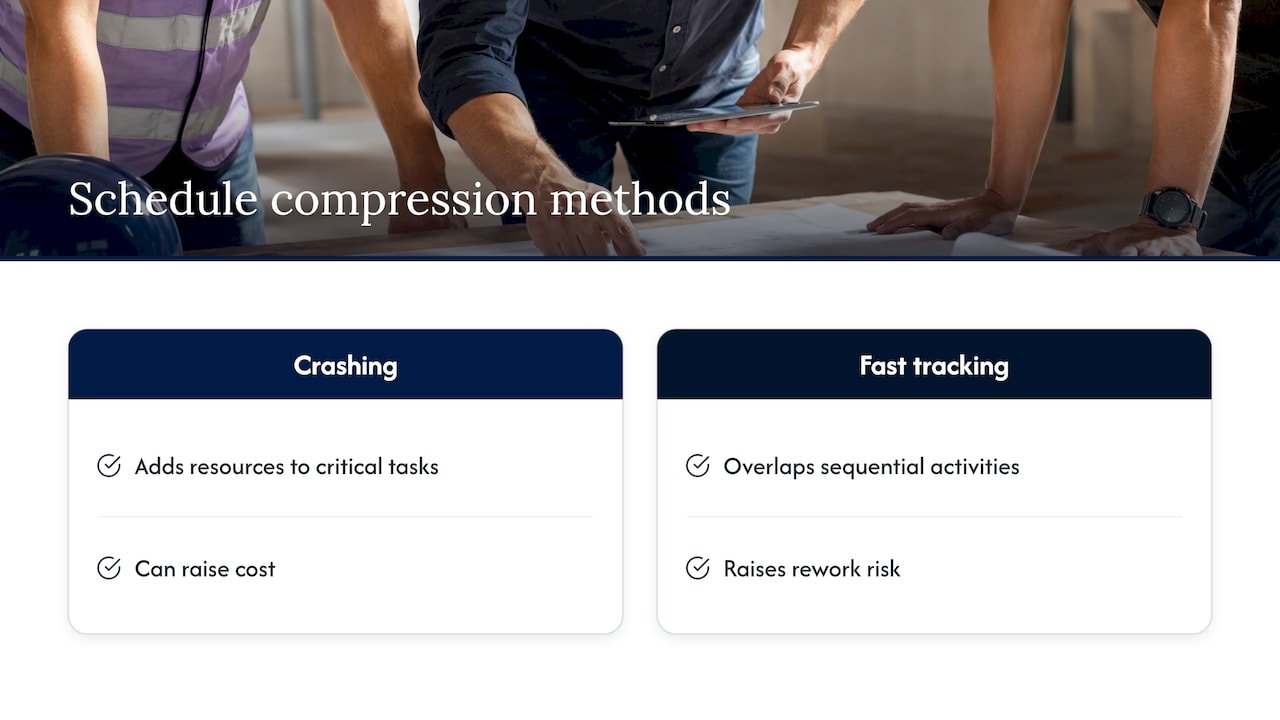
PM² says the Critical Chain Method, unlike CPM, accounts for resources and resource levelling, and uses buffers to protect the plan. When you need to shorten a schedule, PMI’s scheduling practice standard describes two levers. Crashing adds resources to critical activities and can raise cost. Fast tracking overlaps activities that would otherwise run in sequence and increases the risk of rework. Our overview of types of scheduling in project management compares more approaches.
If your projects run on specialist planning software, our comparison of Microsoft Project and Primavera shows the questions that decide the choice.
Keeping the schedule alive
A schedule is out of date the moment work begins to differ from it. PMI’s practice standard says the schedule model should be updated regularly to reflect progress and change. It recommends entering actual start and finish dates and remaining durations, recalculating, and comparing against the baseline.
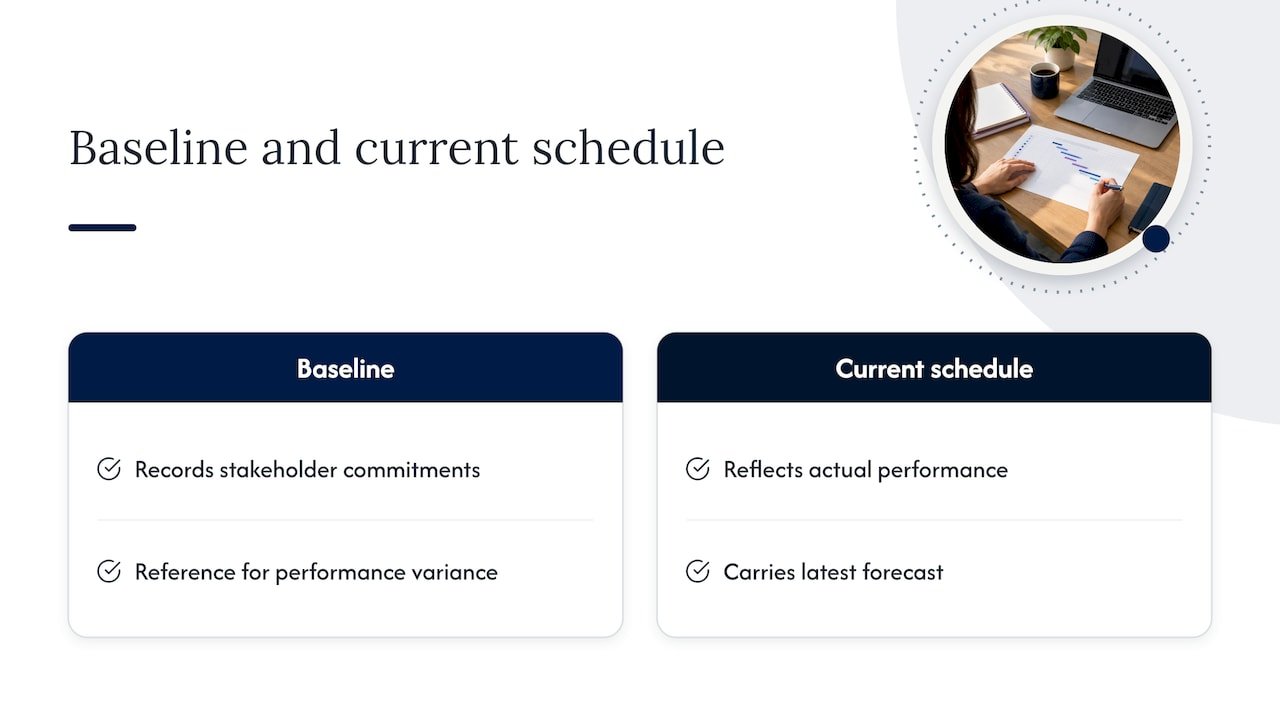
The US GAO’s 2012 guide draws the key distinction. The baseline records what stakeholders committed to. The current schedule reflects actual performance and the latest forecast. It also warns that without a formally established baseline, management has no reference for spotting and correcting unfavourable performance.
PM² adds a routine: regularly compare planned, actual and forecast dates, and fold approved changes into the updated schedule. A weekly update for a fast-moving project, or fortnightly for a slower one, is a sensible rhythm.
Common scheduling mistakes
- Reusing an old work breakdown structure as if it were complete. Every project has its own scope.
- Soft or false logic. Links that reflect habit rather than real constraints distort the critical path.
- Accepting the software’s critical path without a sanity check. PMI recommends testing that the schedule is executable and that the critical path makes sense to subject-matter experts.
- Ignoring availability. Part-time resources stretch durations, as the 20% example above shows.
- No baseline. You cannot measure slippage against a moving target.
- Scheduling once and never updating. The schedule then stops guiding anyone.
Where training makes the difference
The steps are simple to read and harder to apply across a team, where one person’s estimates, another’s calendar and a third’s dependencies have to agree. Our project management courses are globally accredited and led by industry expert trainers, and the content can be customised to your organisation’s own projects. They can be delivered on-site, online or in a blended format. For HR managers upskilling a team, that means the schedule exercises can use your own work rather than generic case studies.

For construction and engineering teams, see our Building Planning and Scheduling training course. For broader grounding, the Global Project Management Practices and Standards training programme is a good place to begin, and all our options are listed on the project management courses page.
Our perspective
Most schedules fail for human reasons, not technical ones. The software calculates whatever logic it is given. If the logic is wrong, or the estimates came from someone who will not do the work, the chart looks professional and still misleads.
That is why we teach scheduling as a skill built on judgement: choosing the right level of detail, challenging dependencies, and reading float and the critical path as management information. Our courses are expert-led and built around real-world challenges, and we customise the content so teams practise on the kind of work they actually deliver.
Accreditation matters too. A globally accredited qualification gives project managers a recognised credential and gives employers a common language across teams and sites. Whether your people join on-site, online or in a blended format, the aim is the same: schedules that people trust and keep updated.
Sam
FAQ
What is the difference between a project plan and a project schedule?
The plan sets out what will be done and how, including the approach and policies. The schedule turns that plan into a timetable of start and finish dates. Both are needed, and the schedule may change as resources are confirmed.
How long does it take to build a project schedule?
That depends on project size and how complete your scope is. The work breakdown structure and the duration estimates take the longest, because they need input from the people doing the work. A small project can be scheduled in a few hours of focused work; a large one needs several review rounds before you baseline it.
Do I need software to schedule a project?
For a handful of tasks, a simple chart is enough. Once tasks depend on one another or several people share resources, scheduling software saves time by recalculating dates and the critical path. The software only helps if the logic you enter has been checked with the team.
Is a Gantt chart the same as the critical path?
No. A Gantt chart is a visual timetable of tasks. The critical path is the longest chain of dependent tasks, which sets the earliest finish date. Many Gantt charts highlight the critical path, but the two are different things.
Sources
- What is scheduling in project management? (APM)
- Planning and scheduling (PMI)
- Scheduling 101: the basics of best practices (PMI)
- Practice Standard for Scheduling (PMI)
- A Guide to Simple Project Planning (Carmarthenshire County Council)
- GAO-16-89G Schedule Assessment Guide (US GAO)
- GAO-12-120G Schedule Assessment Guide (US GAO)
- Guide to Smaller Projects (South African Government Technical Advisory Centre)
- Project Schedule (University of Waterloo)
- Chapter 8: Building the Schedule (Virginia Tech)
- PM² Project Management Methodology Guide 3.0 (European Commission)
- Buildberry blog