
Scrum organises work into fixed-length sprints with defined roles and events. Kanban moves work continuously across a board and caps how much can be in progress at once. Choose Scrum when you are building something that needs regular goals and feedback. Choose Kanban when work arrives unpredictably and flow matters more than a calendar. Many teams end up blending the two.
This guide sets out the differences that matter in practice: cadence, roles, boards, meetings, limits on work in progress and how each handles changing priorities. It then gives you a way to decide and a look at the hybrid, Scrumban.
TL;DR
- Scrum works in time-boxed sprints (one month or less) toward a sprint goal. Kanban is continuous flow, limited by WIP rather than by time.
- Scrum prescribes roles and events. Kanban prescribes no roles and lets the team choose when to plan, improve and release.
- Scrum suits product development with discovery and feedback loops. Kanban suits support, operations and mixed or recurring work.
- Scrum tracks velocity. Kanban tracks cycle time and lead time.
- You do not have to pick one for ever: Scrumban borrows from both.
Table of Contents
- The core difference: rhythm against flow
- Scrum and Kanban side by side
- Roles and responsibilities
- Boards: reset each sprint or always on
- Meetings and cadence
- Work in progress: implicit against explicit limits
- Changing priorities
- Measuring performance
- When Scrum is the better fit
- When Kanban is the better fit
- A quick decision guide
- Scrumban: using both
- Our perspective
- Build the skills behind the method
- FAQ
- Sources
The core difference: rhythm against flow
The simplest way to separate them is to look at how work enters the team’s hands.
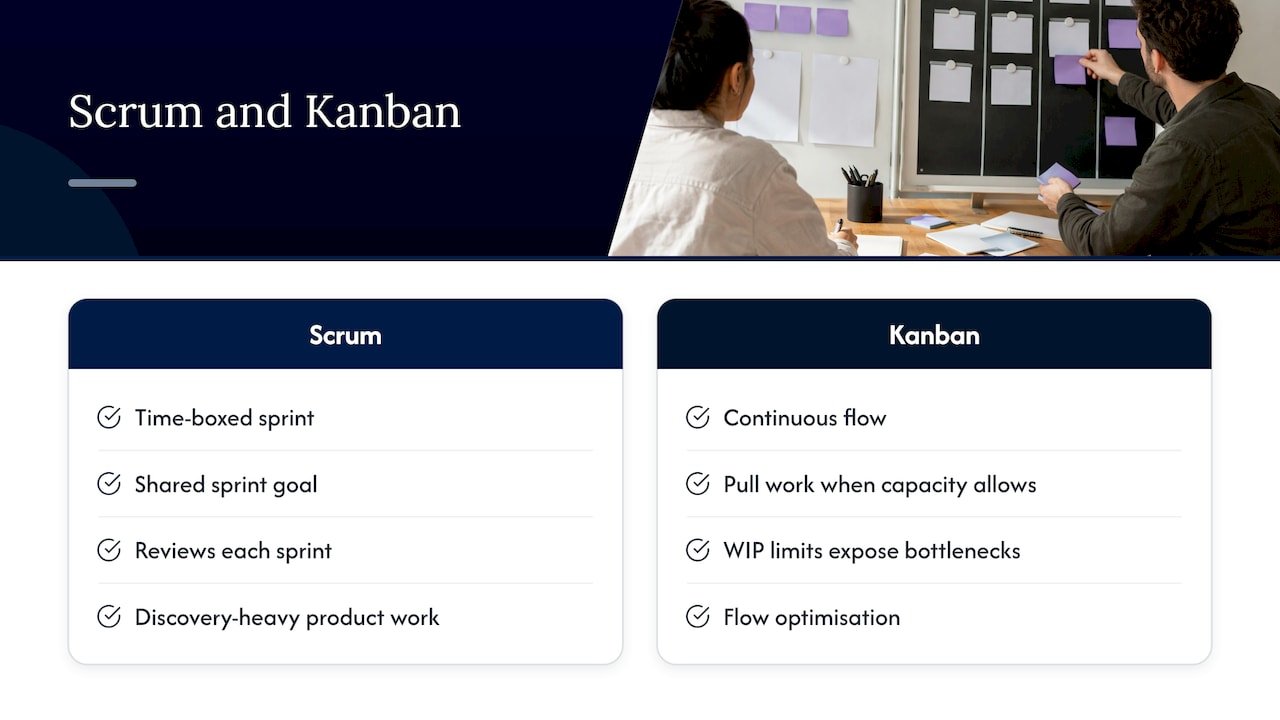
In Scrum, the team selects work from its backlog for a time-boxed sprint, works toward a shared sprint goal, then reviews the result and improves its process before the next sprint. The sprint is the heartbeat. Everything happens inside it or at its edges.
In Kanban, teams visualise work on a board, pull the next item only when they have capacity, and use WIP limits to expose bottlenecks. There is no sprint boundary. Work flows, and the limits keep the flow healthy.
A second framing is about origin and intent. Scrum was designed for unpredictable, discovery-heavy product work where teams need structured feedback loops. Kanban traces its roots to Toyota’s production system in the 1940s and was designed for flow optimisation, with steady throughput and minimal bottlenecks as the goal, as one comparison puts it. That history explains why Scrum feels like a project rhythm and Kanban feels like a production line you keep tuning.
Scrum and Kanban side by side
| Dimension | Scrum | Kanban |
|---|---|---|
| Cadence | Fixed-length sprints | Continuous flow |
| Roles | Product Owner, Scrum Master, developers | None prescribed |
| Work limit | Implicit, set by sprint scope | Explicit WIP limit per workflow state |
| Change mid-cycle | Nothing that endangers the Sprint Goal | New items welcome if WIP limits allow |
| Key metrics | Velocity, burndown | Cycle time, lead time, throughput |
| Board | Reset each sprint | Persistent, evolving |
| Planning and release | At sprint boundaries | Whenever the team decides |
The roles, cadence and metrics rows echo what Microsoft’s Azure DevOps documentation says: Scrum centres on fixed-length sprints and Kanban on continuous flow, Scrum has defined roles while Kanban defines none, and Scrum uses velocity where Kanban uses cycle time.
Roles and responsibilities
Scrum prescribes three roles: Product Owner, Team and Scrum Master. That is how Kniberg and Skarin’s well-known mini-book describes it. Accountability is clear: someone owns the order of the backlog, someone protects the process, and the team owns delivery.
Kanban does not prescribe any roles. One of its foundational principles, as summarised by BMC, is to respect current roles, responsibilities and job titles at the start. That is a big reason Kanban is easy to adopt: nobody has to change their title on day one.
The practical consequence for a manager is this. If your organisation needs a named person accountable for priorities and a named person coaching the process, Scrum gives you that out of the box. If your team structure is settled and you want to improve without reorganising, Kanban respects it.
Boards: reset each sprint or always on
Boards look similar, but they behave differently.
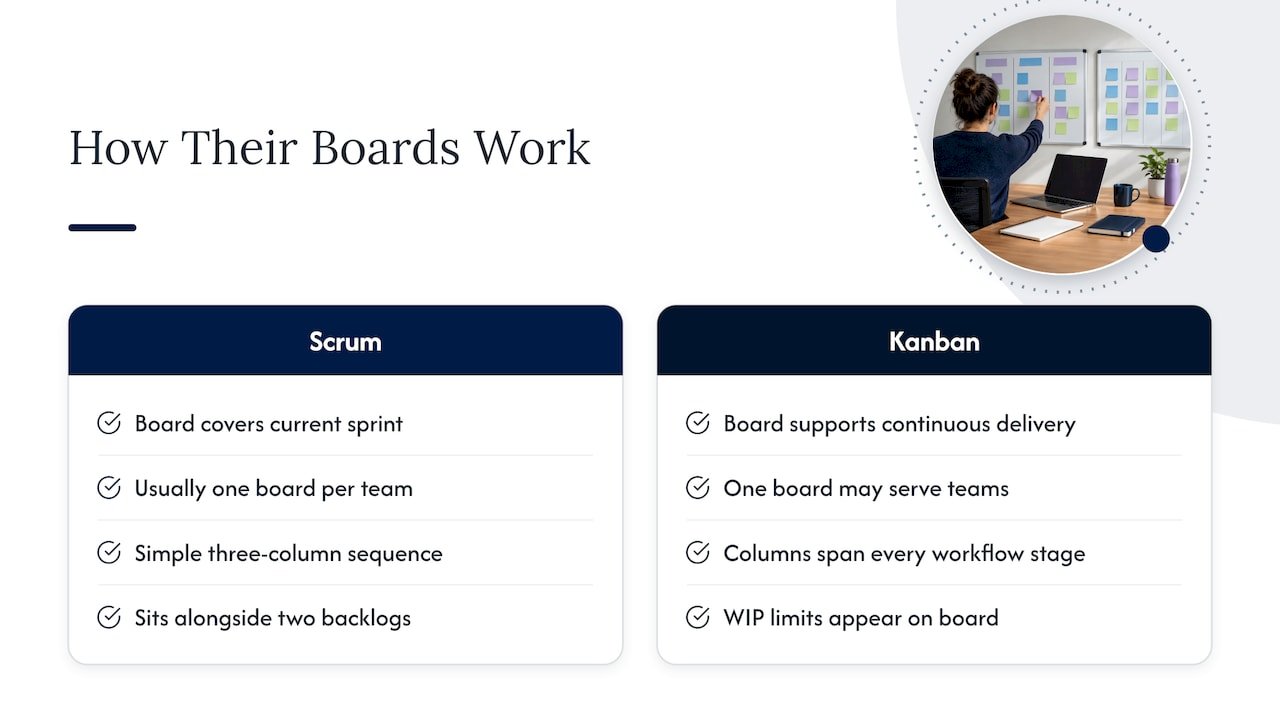
A Scrum board covers the current sprint. Teams track only what they will complete during that period, usually with a simple sequence such as To do, In progress and Done. A Kanban board supports continuous delivery: work can be added at any time, and columns typically show every stage from start to finish, such as Design, Development, Review, QA or Ready to Deploy.
Two further differences are worth knowing. One Kanban board may serve several teams, while in Scrum there is usually one board per team. And Kanban boards carry WIP limits, while Scrum boards sit alongside a sprint backlog in addition to the product backlog, according to Parabol’s comparison.
A practical tip: if your Scrum board is a three-column affair and the team keeps getting stuck in review or testing, you do not need to abandon Scrum. Add columns that show where work waits. You are borrowing Kanban’s visualisation, which is entirely compatible.
Meetings and cadence
Scrum is explicit about events. The 2020 Scrum Guide defines five:
- The Sprint, a fixed-length event of one month or less.
- Sprint Planning, where the team chooses what it will deliver and how.
- The Daily Scrum, a 15-minute daily check on progress toward the Sprint Goal.
- The Sprint Review, time-boxed to a maximum of four hours for a one-month Sprint.
- The Sprint Retrospective, time-boxed to a maximum of three hours for a one-month Sprint.
Kanban prescribes none of these. Teams choose when to do planning, process improvement and release, either regularly or on demand. Many Kanban teams still hold a daily stand-up, but the format tends to differ. In Scrum the daily meeting is usually people-oriented, with each person reporting in turn. Many Kanban teams use a board-oriented format focused on bottlenecks and other visible problems, which scales better when several teams share one board.
If your team is distributed, the sprint events are the part most likely to need adapting. Guidance on remote sprint planning is a useful place to see how time-boxed iterations can be run without everyone sharing a room, which matters if you are weighing a sprint rhythm against continuous flow across time zones.
Work in progress: implicit against explicit limits
Both methods limit work in progress, in different ways.
Scrum limits WIP per iteration. Nothing stops a team putting every item into the Ongoing column on day one, but there is an implicit limit because the sprint has a fixed scope. Kanban limits WIP directly per workflow state, with explicit numbers on the board, as Kniberg and Skarin explain.
The effect is easiest to see with an example. Imagine a team with a Review column limited to three items. When a fourth item finishes development, it cannot move on. Someone must clear a review first. That small rule turns a hidden queue into a visible problem and shifts the team’s attention from starting work to finishing it.
BMC lists six core Kanban practices: visualising the flow of work, limiting WIP, managing flow, making process policies explicit, implementing feedback loops, and improving collaboratively and evolving experimentally. WIP limits are one of six, not the whole method.
Changing priorities
This is often where the decision is made.
In Scrum, the sprint is protected. The Scrum Guide says that no changes are made that would endanger the Sprint Goal, though scope may be clarified and renegotiated with the Product Owner as more is learned. If something urgent arrives, it normally waits for the next sprint, or the team negotiates what to swap.
In Kanban, priorities can change as work moves through the system. New items are welcome as long as the WIP limits allow. When a team receives a stream of requests it cannot predict, such as support tickets, fixes or ad hoc requests from other departments, that flexibility is a real advantage.
The trade-off is predictability of a different sort. Scrum gives stakeholders a regular date when something will be reviewed. Kanban gives them cycle-time data: how long an item typically takes once started.
Measuring performance
Scrum teams usually track velocity, the amount of work completed per sprint, often alongside burndown charts and progress against the sprint goal. Kanban teams track lead time, cycle time and throughput. Planview’s guide makes the same point: Kanban measures productivity with cycle time, Scrum with velocity through sprints.
A note for managers comparing teams: velocity is a planning aid for one team, and is not comparable across teams. Cycle time is easier to compare because it measures elapsed time, though even then the types of work should be similar.
When Scrum is the better fit
Scrum tends to pay off when:
- You are building a product or a defined deliverable, and requirements become clearer as you learn.
- Stakeholders want regular, scheduled reviews of working output.
- The team benefits from a fixed rhythm and a protected period of focus.
- You need clear accountability for backlog priorities.
- Work is deadline-driven. Wrike’s guide describes Scrum as ideal for complex, deadline-driven projects.
Typical examples: a software team shipping a new feature set, a product team launching a service, a project team delivering a defined programme of change in increments.
When Kanban is the better fit
Kanban tends to pay off when:
- Work arrives continuously and unpredictably, such as support, maintenance or operations.
- Tasks are recurring or similar in size, so sprints add little.
- You want to improve an existing process without changing roles.
- Several teams share a workflow and need one view of it.
- Timelines are flexible. The same Wrike guide says Kanban works best for recurring tasks and flexible timelines.
Typical examples: an IT service desk, a content or marketing production line, a facilities or maintenance team, a compliance team handling requests as they come.
A quick decision guide
Work through these questions in order.
- Is most of your work planned or arriving as requests? Planned and discoverable points to Scrum. Arriving as requests points to Kanban.
- Can you hold priorities steady for one to four weeks? If yes, Scrum’s sprint protection helps. If no, Kanban handles interruptions more naturally.
- Do stakeholders need scheduled demos? If yes, Scrum builds them in. You can still add a regular review to Kanban.
- Do you need new roles? If your organisation can appoint a Product Owner and Scrum Master, Scrum is workable. If not, start with Kanban.
- Is your biggest pain a bottleneck or poor focus? Bottlenecks suggest Kanban’s WIP limits. Poor focus and unclear goals suggest Scrum’s sprint goal.
If you answer both ways, that is a sign to look at the hybrid below.
Scrumban: using both
Scrumban combines Scrum’s sprints, stand-ups and retrospectives with Kanban’s visual workflow and WIP limits. Atlassian’s overview notes that it began as a way for teams to move between Scrum and Kanban and has since matured into a system in its own right.
A common pattern is product feature work on Scrum, bug and support queues on Kanban, and genuine incidents bypassing both, as described by Projiq. That split lets a team protect its sprint goal while still handling the stream of small requests that would otherwise break it.
To try it, keep your sprint cadence and retrospectives, add a WIP limit to your busiest columns, and reserve a visible lane for unplanned work. Review after two or three sprints whether the unplanned lane is eating the sprint. If it is, that is the evidence you need to give that work its own Kanban flow.
Our perspective
In our training work with project teams, the question we hear most is not “which one is right?” but “which one can we actually run on Monday?” Our view is that the method matters less than whether the people using it understand why each practice exists.
A team that adopts sprints without grasping the sprint goal ends up with a calendar and no focus. A team that adopts a board without WIP limits ends up with a pretty list. Training is where that understanding is built, which is why we design our programmes around your real work rather than a generic syllabus.
We offer globally accredited courses that can be customised to your organisation and delivered on-site, online or blended, led by expert trainers who focus on real-world challenges. For a team choosing between Scrum, Kanban or a hybrid, that means practising on your own backlog, your own bottlenecks and your own stakeholders, so the choice rests on how your team actually works.
Sam
Build the skills behind the method
Choosing a method is the easy part. Running it well, with the right roles, healthy boards and honest retrospectives, takes practice. If you are developing project managers or want your team to work from a shared approach, our project management training is built around accredited qualifications and can be tailored to your organisation, delivered on-site, online or in a blended format.

If you would like to discuss customised training for your team, start from our main site and tell us what your team delivers and how it works today.
FAQ
Is Kanban or Scrum easier to start with?
Kanban is usually quicker to start because it asks you to visualise your current process and add limits, without changing roles. Scrum needs roles, events and a sprint rhythm in place first. Start where your team is, then add structure when you need it.
Can a team use Scrum and Kanban together?
Yes. Scrumban combines Scrum’s sprints, stand-ups and retrospectives with Kanban’s visual workflow and WIP limits. A common arrangement is feature work in sprints and support queues on a Kanban flow.
Does Kanban have sprints or fixed roles?
No. Kanban prescribes neither timeboxed iterations nor roles. Teams decide when to plan, improve and release, either regularly or on demand, and keep their existing job titles.
How long is a Scrum sprint?
The Scrum Guide says a sprint is a fixed-length event of one month or less. Many teams choose between one and four weeks. Shorter sprints give faster feedback, while longer ones suit work that is harder to split.
Which method is better for changing priorities?
Kanban handles changing priorities more easily, because new items can enter whenever WIP limits allow. Scrum protects the sprint goal, so urgent changes are normally negotiated with the Product Owner or taken in the next sprint.
Sources
- Kanban vs. Scrum: What’s the Difference?
- What is Kanban? Azure DevOps, Microsoft Learn
- Scrum vs Kanban: Key Differences and When to Use Each
- Kanban and Scrum: Making the Most of Both (Kniberg and Skarin)
- Kanban and Scrum, InfoQ mini-book (PDF)
- Kanban and Scrum (PDF copy)
- The Scrum Guide, November 2020
- Kanban vs. Scrum Boards: Key Differences
- Scrum vs Kanban: 5 Differences Between Sprints and Flow
- Scrum vs Kanban: A Comparison of Agile Methodologies
- Kanban vs. Scrum: What are the Differences?
- Kanban vs. Scrum: Key Differences Explained
- Scrumban
- Kanban vs Scrum: Which Agile Framework Is Right for Your Team
- Remote Sprint Planning for Distributed Teams